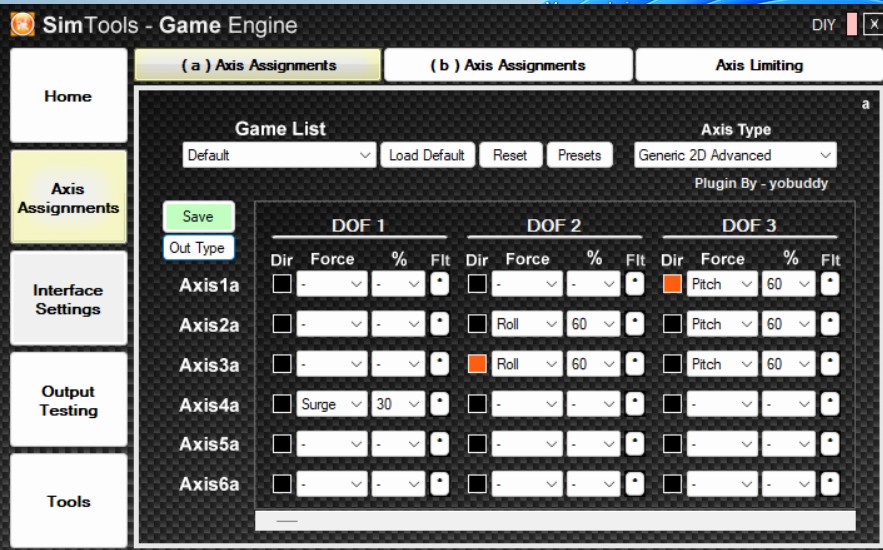
For this project, I continue to use SimTools 2.5. I have previously worked with this version in connection with motion rigs, and this setup is based on that experience.
Although version 3 is now available, all the settings and tests shown here were performed and successfully verified with version 2.5. The information is deliberately based on this tested version. If you are using a newer version, the settings should be checked accordingly.
For initial motion tests, Live for Speed (LFS) works very well. The simulation is quick to set up, runs stably, and allows straightforward testing. Download at: https://www.lfs.net/
SimTools is used to control the rig.
SimTools – Interface Settings
Interface Type: Serial
ComPort: Com-Port des Arduino aus der Arduino-IDE übernehmen
BitsPerSec: 57600
Data Bits: 8
Parity: None
Stop Bits:1
Output Bit Range: 10
Output Type. Binary
Start Output: XS00C
Interface Output: X1<Axis1a>CX2<Axis2a>CX3<Axis3a>CX4<Axis4a>CX5<Axis5a>CX6<Axis6a>C
Shutdown Output: XE00C
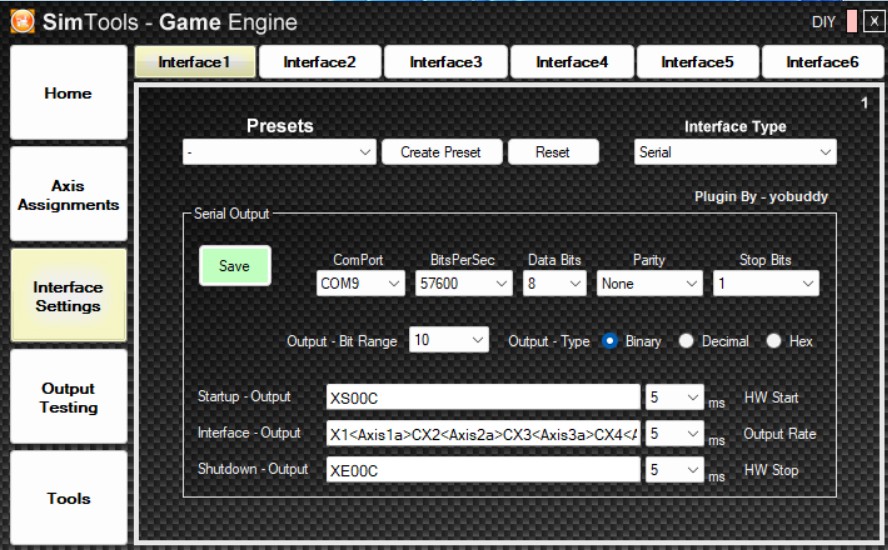
The assignment of the axes to the corresponding Arduino inputs is documented in the circuit diagram. The connections are shown there.
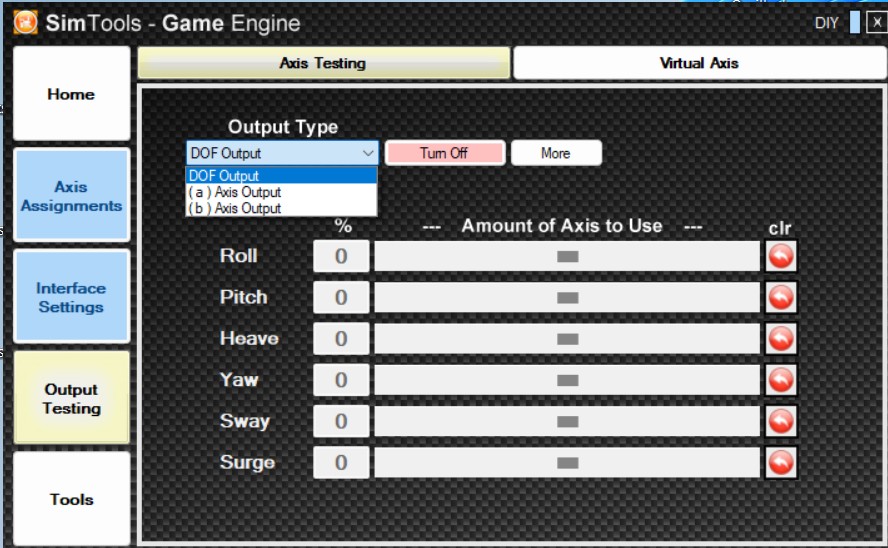
Once the serial interface is configured as described above, the axes should already be movable in the Output Test section.
Switch from DOF Output to Axis(a) Output.
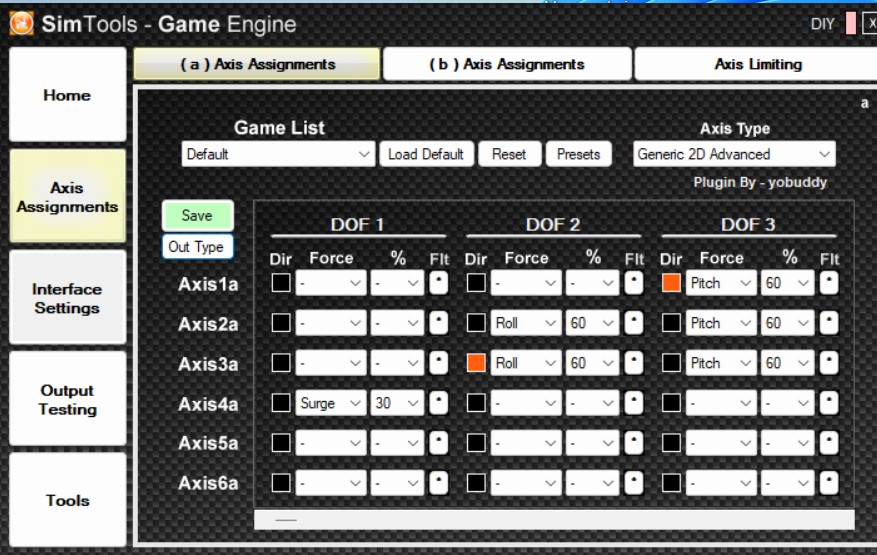
The shown axis configuration is the one I used and tested. It serves here as a clear reference for the documented setup.